

FBOX ONE S.
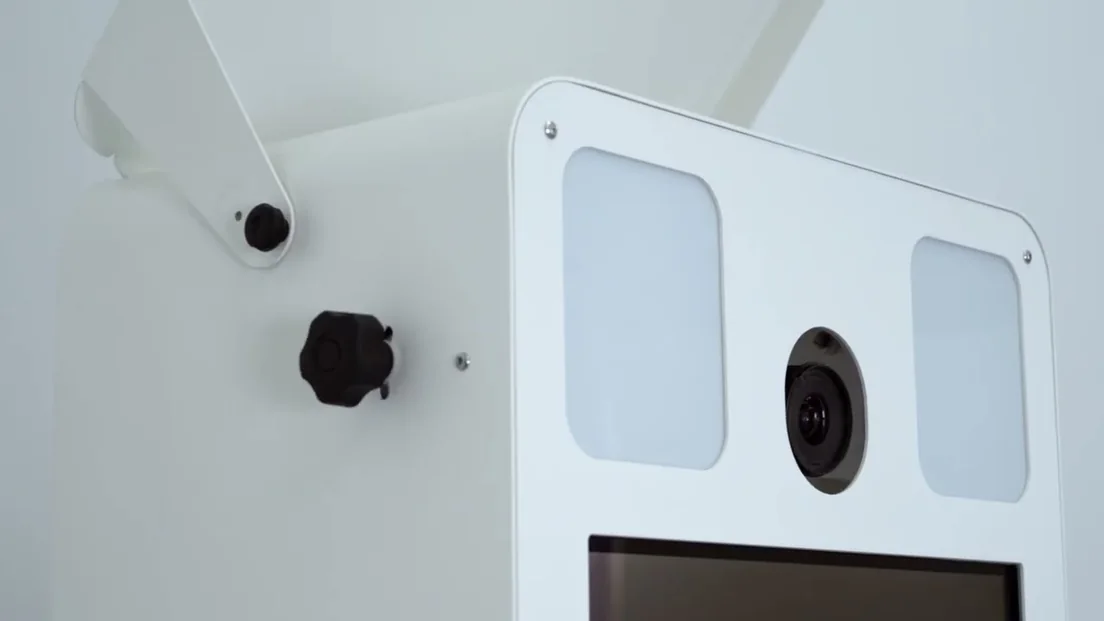
FBOX ONE S houses a Canon R100 camera, a 15.6-inch touchscreen and a Citizen CZ-01 printer in a single unit.
The FBOX ONE S comes with a flap and a white front as standard. A beauty dish is available as an alternative. For transport, the housing, leg and base separate. The camera and printer stay in the housing.
From €3,600.00 excluding VAT*
From €4,428.00 including VAT
The starting price covers an all-in-one PC and printer. We quote separately for the NUC PC version. Photo booth software and extras are optional.
Key specifications
- Camera
- Canon R100with an 18–45 mm lens
- Printer
- Citizen CZ-01
- Lighting
- Flaptwo-point white LED lighting
- Weight
- 40 kgincluding leg, base, printer and media
Take a closer look at FBOX ONE S
Flap and fronts
Beauty dish alternative
FBOX ONE S in action
Equipment and specifications
| Component | NUC computer configuration |
|---|---|
| Camera and lens | Canon R100 + 18–45 mm |
| Computer | NUC computer running Windows 11 Pro |
| Screen | 15.6-inch touchscreen, Full HD (1920 × 1080 px) |
| Printer and starter media | Citizen CZ-01 inside the housing. One full load of media is included. |
| Lighting | Flap and two-point white LED lighting. Beauty dish available as an alternative. |
| Assembled equipment weight | 40 kg (complete and ready to use, including leg, base, printer and media) |
| Options and customisation | Covers and interchangeable front panels: optional extras at additional cost |
Additional configuration information
The Citizen CZ-01 starter media load provides 150 prints measuring 10 × 15 cm (4 × 6″).
Software
Photo booth software is not included in the equipment price. You can choose one of the programs below.
Once the software is selected and the session is configured, the photo booth can take and print photos without an internet connection. Activation, trial or subscription checks and digital photo sharing have separate requirements to consider. Available print sizes depend on the agreed printer.
Transport and setup
Transport
For transport, the body, leg and base separate. The camera and printer remain inside the body. Covers are an optional extra at additional cost.
Setup and power supply
Allow a clear radius of 1 m from the device's axis for assembly and servicing. The recommended participant distance is approximately 2.5 m from the front of the device.
Standard power supply: 230 V AC / 50 Hz. The device has an external inlet for connecting the power cable. A 5 m cable is included. Average power consumption is 190 W, with brief peaks of up to 600 W during printing and flash charging.
Warranty and support
Warranty
- For businesses
- 12 months
- For consumers
- 24 months
Support
- When purchased directly from SMOVE
- 12 monthsThe first period is included at no extra charge.
Full warranty and support terms
We provide a warranty for the complete device and its components: 12 months for businesses and 24 months for consumers. When you buy a photo booth directly from SMOVE, the first 12 months of support are included at no extra charge. A further 12 months cost PLN 1200 excluding VAT.
If you bought through a reseller, you can purchase 12 months of SMOVE support for PLN 1200 excluding VAT. If you are not renewing previous support, training at PLN 800 excluding VAT is also required. See the terms for details.